Creating an effective desk setup is essential for maintaining focus and comfort throughout your workday. Whether you work from home, study, or spend hours at a computer, having a well-organized and ergonomically friendly space can make a big difference in your productivity and overall well-being. In this post, we’ll explore practical tips to help you design a desk setup that enhances concentration and promotes comfort.
Why Your Desk Setup Matters
Your workspace can either support your productivity or hinder it. A cluttered, uncomfortable desk may lead to distractions, fatigue, and even physical discomfort like back or neck pain. On the other hand, a thoughtfully arranged desk that fits your needs encourages better posture, reduces strain, and helps you stay focused on your tasks.
Choosing the Right Desk and Chair
Desk Height and Size
The height of your desk should allow your elbows to rest at roughly a 90-degree angle when typing or writing. Standard desk height typically ranges from 28 to 30 inches, but it’s important to adjust according to your height and chair.
Consider the desk size based on the amount of equipment and materials you use. If you need extra space for monitors, notebooks, or reference materials, opt for a larger surface. However, avoid overcrowding—it can create unnecessary distractions.
Ergonomic Chair
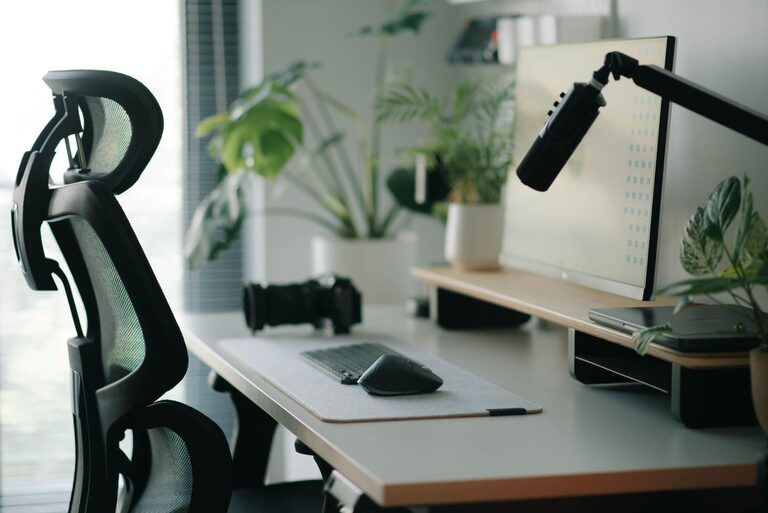
Invest in a chair that supports your lower back and promotes good posture. Look for adjustable features like seat height, backrest tilt, and armrests. Sitting with your feet flat on the floor and knees at a 90-degree angle helps prevent discomfort during long work sessions.
Monitor Placement and Screen Setup
Positioning
Your monitor(s) should be placed directly in front of you at eye level or slightly below. This avoids the need to tilt your head excessively and helps prevent neck strain. Ideally, the top of the screen should be at or just below eye height.
If you use multiple screens, position them so you can easily glance between them without turning your head too much.
Distance
Keep the monitor about an arm’s length away (approximately 20 to 30 inches). This distance reduces eye strain and allows you to comfortably view the entire screen.
Lighting for Comfort and Focus
Natural Light
Whenever possible, position your desk near a window to benefit from natural light. Natural daylight can improve mood and alertness. Just make sure to avoid direct glare on your screen by using blinds or curtains.
Task Lighting
Supplement with an adjustable desk lamp that provides focused light on your work area. Choose bulbs with a color temperature between 4000K and 5000K for a bright, neutral light that’s easy on the eyes.
Avoid overly harsh lighting or dim environments, as both can cause eye strain and reduce concentration.
Organizing Your Desk for Productivity
Declutter Regularly
Keep only essential items on your desk to minimize distractions. Store documents, cables, and office supplies in drawers or organizers to maintain a clean workspace.
Use Desk Organizers
Desk trays, pen holders, and filing systems help keep frequently used items within reach. Having a dedicated spot for everything saves time and reduces clutter.
Cable Management
Use cable clips, sleeves, or ties to keep cords tidy and out of the way. Well-managed cables prevent tangling and create a cleaner visual space.
Incorporating Comfort Accessories
Wrist Supports
If you spend a lot of time typing or using a mouse, consider a wrist rest to reduce strain. Look for soft, supportive materials that keep your wrists aligned.
Footrests
Using a footrest can improve circulation and reduce pressure on your legs, especially if your feet don’t comfortably reach the floor.
Plants and Personal Touches
Adding a small plant or favorite photo can make your workspace more inviting and less sterile. Studies suggest that a bit of greenery can reduce stress and boost mood.
Taking Breaks and Adjusting Your Setup
Even with the best desk setup, sitting for long periods isn’t ideal. Remember to:
– Take short breaks every 30 to 60 minutes to stand, stretch, or walk around.
– Adjust your chair and monitor if you notice discomfort during the day.
– Change your posture regularly to avoid stiffness.
Final Thoughts
A desk setup designed for focus and comfort balances ergonomics, lighting, organization, and personal touches. By paying attention to these elements and making small adjustments, you can create a workspace that supports your productivity and well-being every day.
Ready to upgrade your desk setup? Start with one or two tips and gradually build a workspace that works for you. Your focus and comfort are worth it!